


Mini Vinyl Music Player
Mini Vinyl Music Player
 ✓
✓
 ✓
✓
 ✓
✓



Mini Vinyl Music Player
We’re currently going viral on social media and have very limited stock remaining!
Check back in May if out of stock

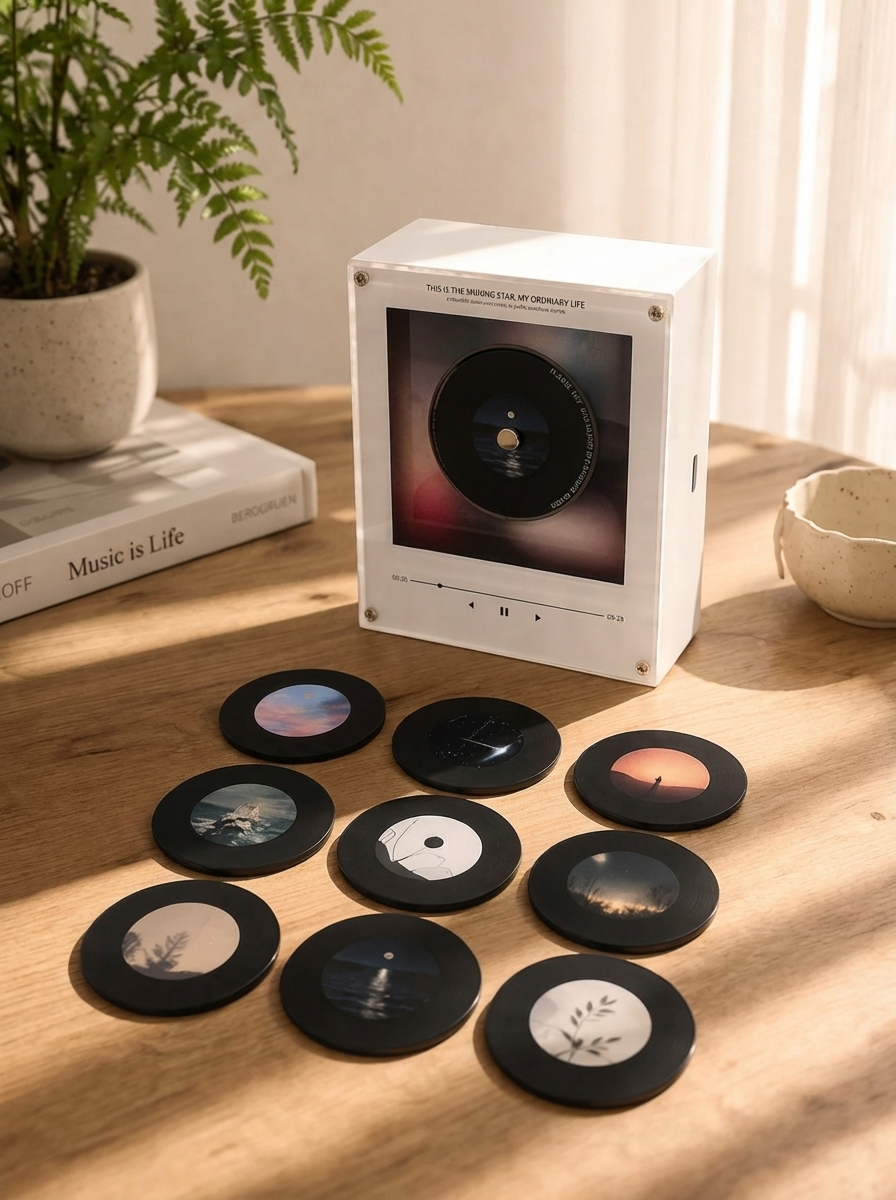
- 1 OurVinyl music box
- 9 custom Justin Bieber photo discs
- USB cable for easy song upload
- Premium keepsake packaging
Option 1 — Bieber Preset Edition
Choose from our curated Justin Bieber-inspired designs, ready with beautifully styled photo discs from your favorite eras.
Option 2 — Custom Memory Edition (COMING SOON)
Send us 9 of your own photos, and we’ll create a fully personalized disc set just for you.
Music Setup
Once your OurVinyl arrives, you can easily upload any Justin Bieber song you want using the included step-by-step setup guide.
This means you can switch songs anytime to match your favorite memories 💜
Each disc holds one song and will play it on repeat.
Adding your own song to your OurVinyl Music Box is simple and only takes a few minutes.
Step 1 — Connect to your computer
Use the included USB-C cable to connect the music box to your laptop or PC.
Step 2 — Open the folder
A folder named “NO NAME” will appear on your computer.
Step 3 — Select your disc slot
Inside, you’ll see folders labeled 1–9, each matching one magnetic disc.
Step 4 — Match the number
Check the number on the back of the disc and open the matching folder.
Step 5 — Upload your song
Drag your MP3 file into the correct folder.
Step 6 — Enjoy your music
Safely eject the device, attach the disc, and your song is ready to play.
If your order arrives damaged or defective, contact us within 14 days and we’ll arrange a replacement.
Please note: personalized items cannot be returned unless faulty.
If you have any questions about your order or your OurVinyl Music Box, feel free to contact us anytime.
Custom columns
Use the flexible grid system to create any layout. Each block can be placed in any of the columns.
Image/Video Slider
Content heading
Pair icons with content to focus on your chosen product, collection, or blog post. Add details on availability, style, or even provide a review.